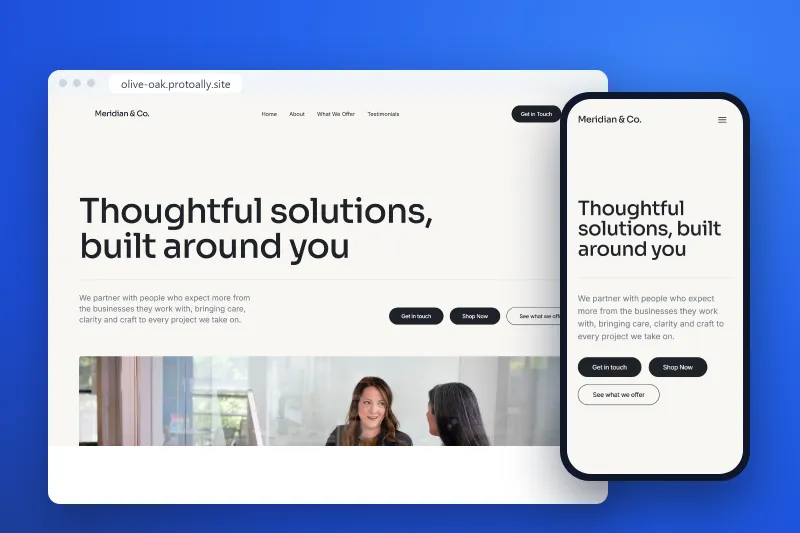
Responsive Website Development Services for a Fast MVP
Read Article

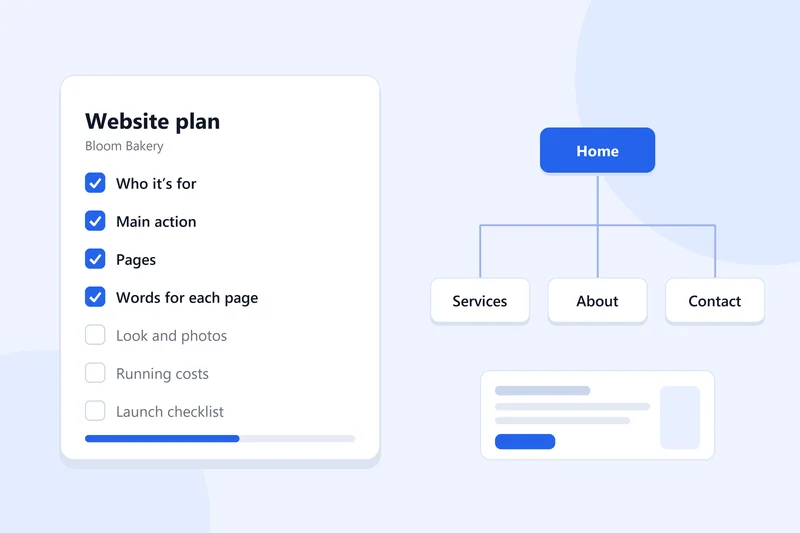
Quick answer: to plan a website, decide who it's for and the one thing you want visitors to do, list the pages you need, write the words for each page, choose a simple look, work out what it will cost to run, and make a launch checklist. It takes an afternoon, and it saves weeks of changes later.
Most websites that stall don't stall on design or code. They stall because nobody decided what the site was for before building started. The pages go up, then someone asks "where do people book?" or "what are we charging?", and half of it gets redone.
Here's how to plan a website for a small business, step by step. You can do all of it with a notebook. At the end there's a short template you can copy.
Write one sentence: "This site is for [type of person] who wants [result]."
Be specific. "Busy parents in Ilorin who want cakes for birthdays" is useful. "Everyone who likes cakes" isn't. The sentence decides your words, your photos and which pages matter. If you serve two very different groups, say retail customers and wholesale buyers, write a sentence for each and give each group its own page.
Every site needs one main action. For most small businesses it's one of these:
Pick one. You can offer others, but the main one goes at the top of the home page and at the end of every page. A site that asks for five different things usually gets none of them.
For a first site, fewer pages is better. A typical small business site needs:
| Page | What it answers |
|---|---|
| Home | What you do, who for, and the main action |
| Services or Shop | What you offer and roughly what it costs |
| About | Who's behind it and why people should trust you |
| Contact or Book | How to reach you, where you are, your hours |
Add a page only when you have a real reason: a Portfolio if people need to see your work first, an FAQ if you get the same questions every week, a Blog if you'll actually write. Draw the pages as boxes on paper and connect them with arrows. That's your site map, and it's all "website structure" really means.
Planning an online shop? Our guide to planning an ecommerce site before you hire covers the extra steps.
This is the step most people skip, and it's the one that slows everything down later. For each page, write:
Write the way you'd explain it to a customer standing in front of you. Short sentences are fine. Once the words exist, the design gets much easier, because you know how much space each section needs.
You don't need a designer to plan the look. Decide three things:
For the layout, sketch each page from top to bottom: headline, short intro, main action button, then the sections. On phones, everything stacks into one column, so check your sketch still reads well that way. Most visitors will see your site on a phone first.
Plan the running costs as well as the build. A simple site usually means:
If you'll sell online, add payment fees from your payment provider. Writing these down early stops a surprise bill from killing the project six months in.
Before the site goes live, check:
Copy this into a notes app and fill it in:
Who it's for: ...
Main action: ...
Pages: Home, ..., ...
For each page: headline, 3 to 4 sections, main action
Look: main colour ..., accent ..., heading font ..., photos needed ...
Running costs: domain ..., plan ..., email ..., other ...
Launch checklist: done / not done
Some can help. ProtoAlly, the builder we make, starts with planning: you describe your business in a sentence or two, and before anything gets built it writes a plan with you. The plan covers who the site is for, the pages and what goes on them, the look, the costs and a launch checklist. Then it builds the site from that plan, and you can change anything in the editor.
It's free to start, and paid plans begin at $29 a month. If you'd rather hand the work to a person, a real expert on ProtoAlly can build it with you.
For a small business site of four or five pages, an afternoon to plan and a few evenings to write the words. The writing takes the longest.
The content. Decide who the site is for, the main action and the words for each page, then design around them.
Usually four: Home, Services or Shop, About and Contact. Add more only when visitors need them.
Yes. A builder makes building faster, but it can't decide who your site is for or what you want visitors to do. A plan keeps you from rebuilding later.
A short list of questions to answer before you build: who the site is for, the main action, the pages, the words, the look, the costs and the launch checks. The one above covers all of them.

Written by the ProtoAlly team and mentors, who help founders plan, build, launch and grow web apps with AI and expert guidance.
One short, practical idea for your site each week, plus ProtoAlly news.
AI Website Builder with Visual Editor
Start building with AI in minutes, customize every detail with our visual editor, and get expert help whenever you need it.
Join the founders and creators building launch-ready products on ProtoAlly.